How to Buy Bitcoin With a Credit Card for BetOnline
Table of Contents
The BetOnline poker app allows players to fund their accounts using Bitcoin. Unlike many other poker platforms, BetOnline also supports deposits in popular altcoins such as Ethereum, ApeCoin, AVAX, and Shiba Inu. In addition, the platform rewards cryptocurrency deposits with special bonuses.
In this guide, we will introduce three simple and fast methods to buy Bitcoin or other cryptocurrencies using a credit card, so you can deposit and start playing with ease.
First option and the most recommended
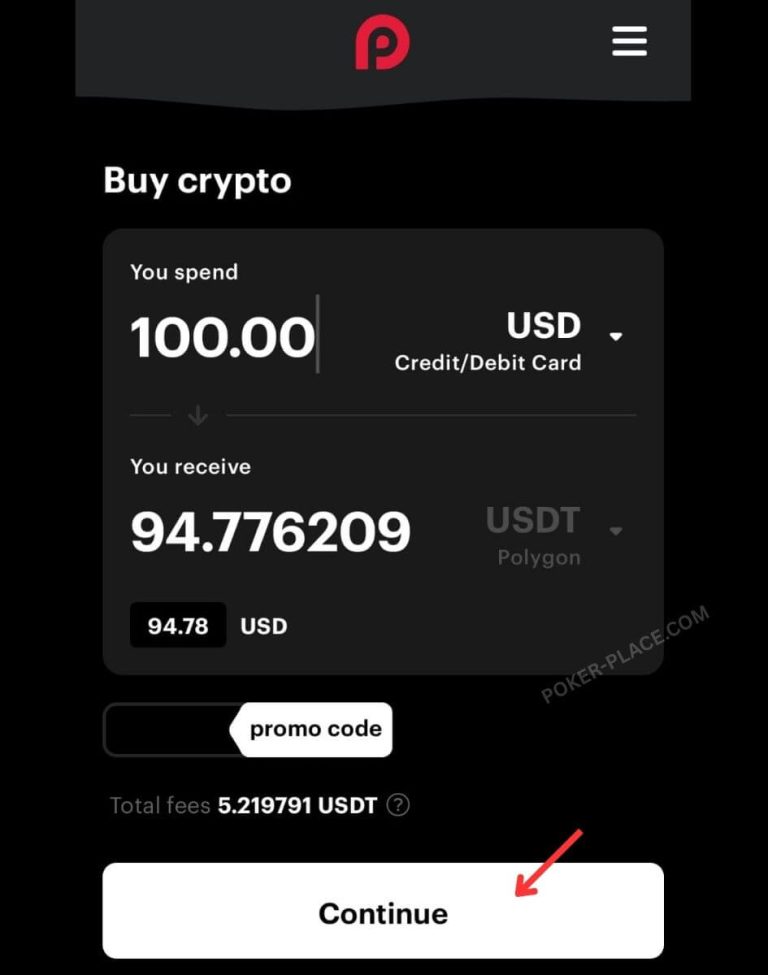
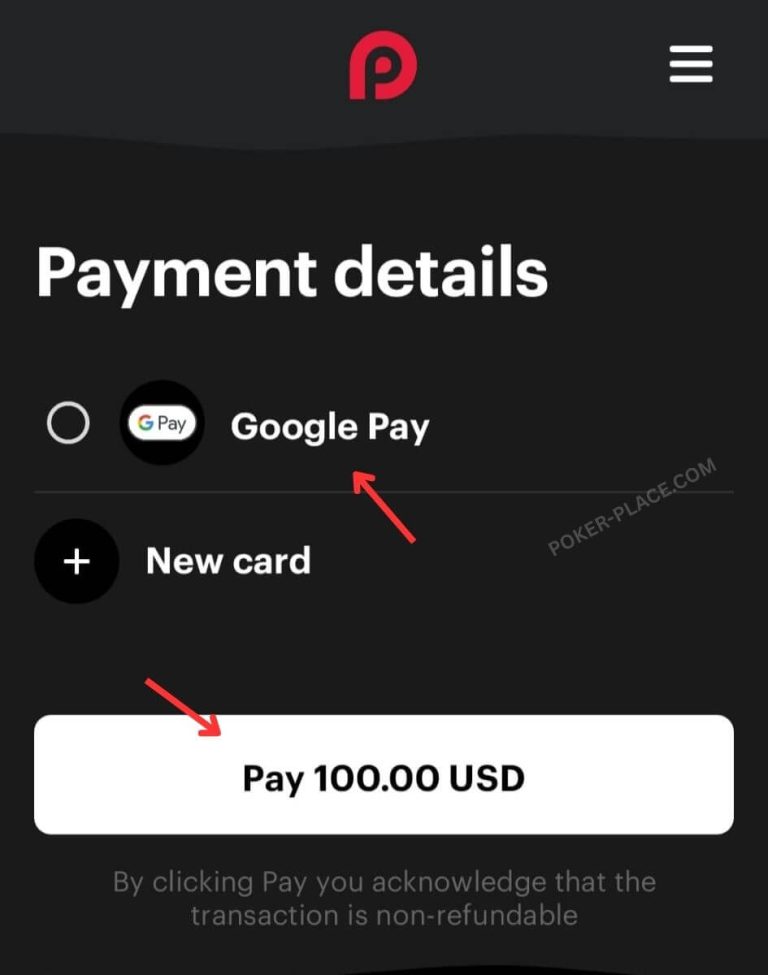
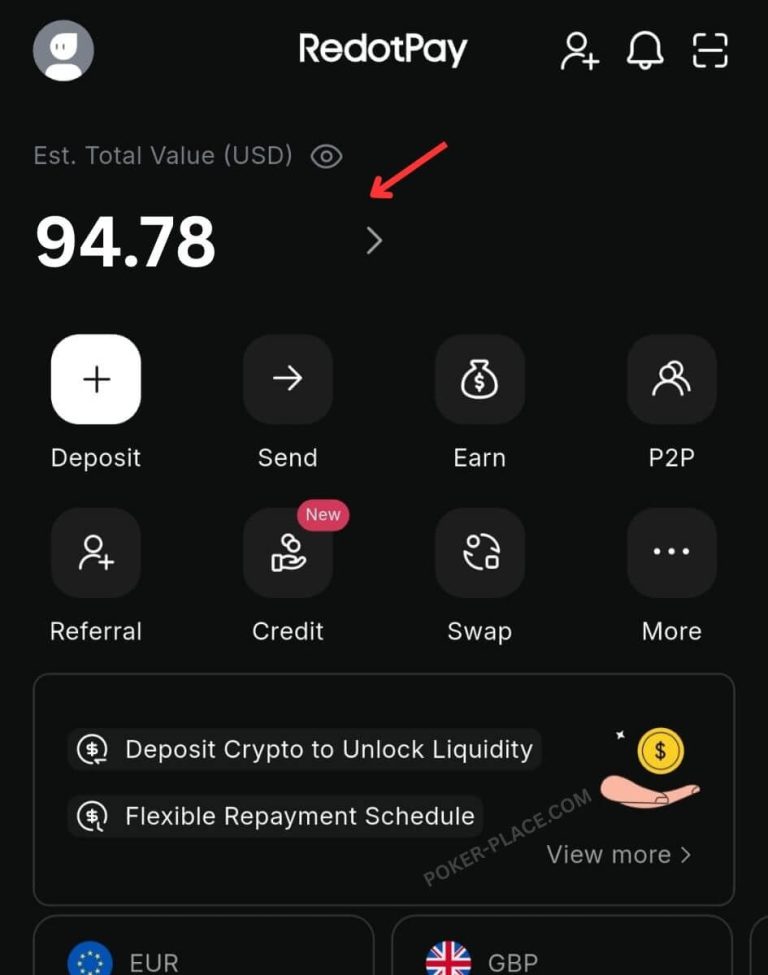
Purchasing Bitcoin or USDT via RedotPay
The most recommended, convenient, and practical option is the RedotPay app. RedotPay is an international fintech company that allows you to purchase cryptocurrencies using a credit card, as well as buy products with cryptocurrencies through the RedotPay credit card.
The first thing you need to do before starting the transfer to 7XL is to locate your USDT and or Bitcoin deposit addresses on the 7XL website, as explained at the beginning of this guide.
Open the app and click on -> Cashier, then -> Deposit.
After purchasing USDT or Bitcoin in the previous step, you need to send the funds to your 7XL player account.
Return to the app and click on … More. In the menu that opens at the bottom of the screen, select Withdraw (marked with the lower red arrow).
In the popup menu that appears, select Withdraw On Chain. This option allows you to send crypto between crypto addresses.
For example, sending USDT from your RedotPay account to your 7XL USDT account.
At this stage, select the cryptocurrency you purchased for sending, USDT or BTC, and click on it.
After selecting the correct cryptocurrency, it is important to send it on the correct network to the 7XL address.
Remember, if you are sending USDT, all 7XL player wallet addresses belong to the TRON TRC20 network only. Therefore, it is very important to select this network only.
If you want to send Bitcoin BTC, choose the appropriate BTC network.
After selecting the correct network, copy the relevant wallet address from your 7XL account, the address you copied at the beginning of the process, and paste it into the appropriate field next to the upper red arrow.
Then, click the Withdraw button.
That’s it. Within a few minutes, the amount you sent will be updated in your account and you can start playing online poker.
Second Option – MoonPay.com
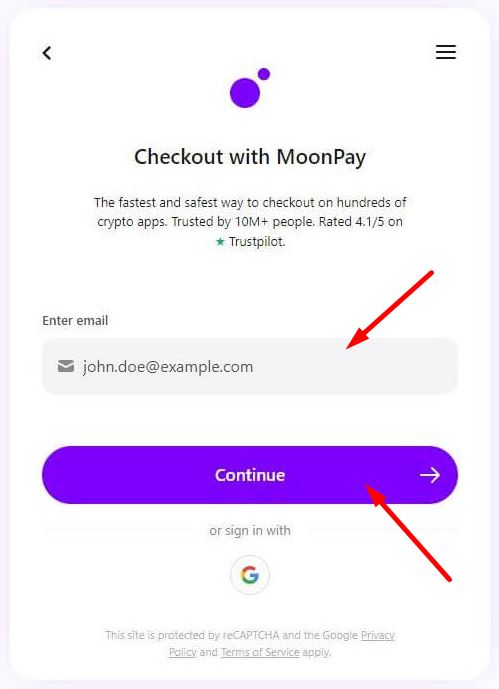
To get started, go to the MoonPay.com and type the amount in US dollars (or any other currency you want to use) which you want to buy Bitcoin with. Make sure you are on the correct purchase currency (USD) and on Bitcoin as the receiving currency (BTC). and click on Continue.
Then type your email address. If this is your first time using the service, a verification code will be sent to your email, copy the code and type it, then click Continue.
If you have used the service before, you will not have to enter any personal details or verify your email account.
2
3
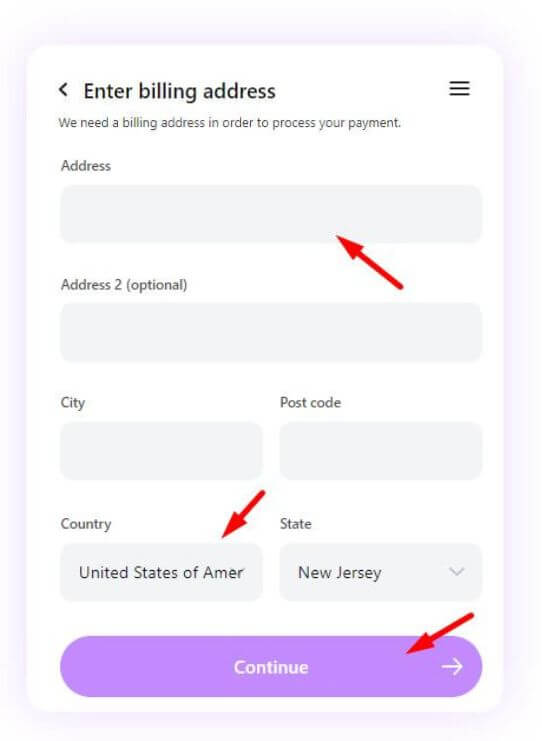
Enter your personal details and your credit card billing address (Use only up-to-date information otherwise your transaction will not approve).
4
5
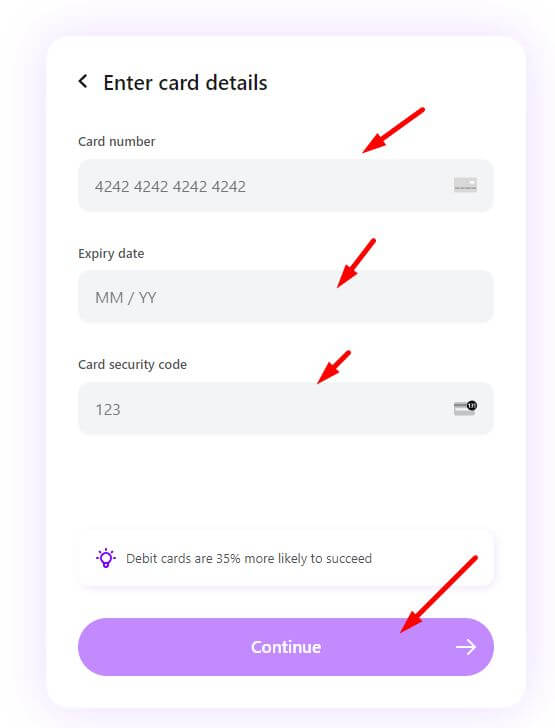
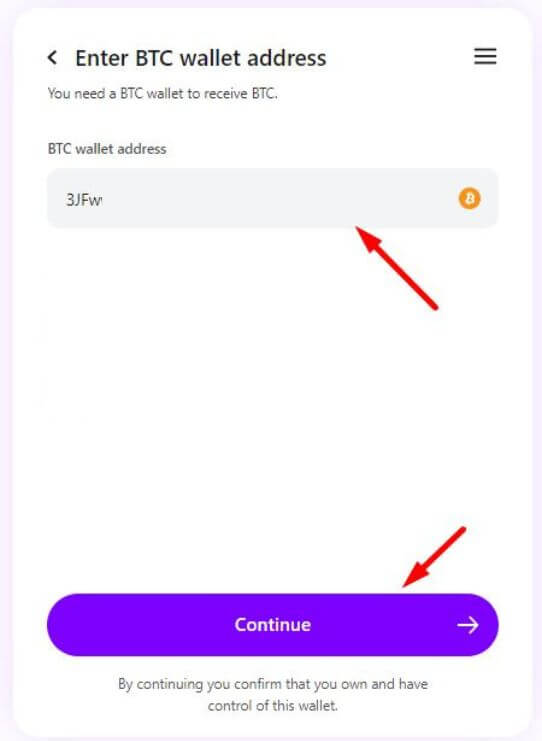
Next step, type in your credit card information and click Continue. On the next screen, enter your Bitcoin wallet address (Your personal wallet or your bitcoin wallet address on Betonline) when finished, click Continue again.
6
7
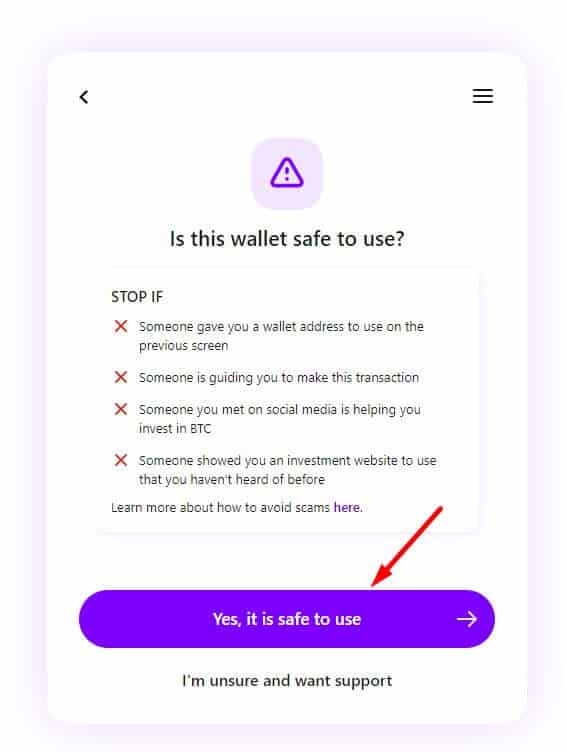
You are almost done, now, confirm that you understand the transaction you are doing, and on next screen make sure that all the details you have entered are correct and click on Pay.
8
9
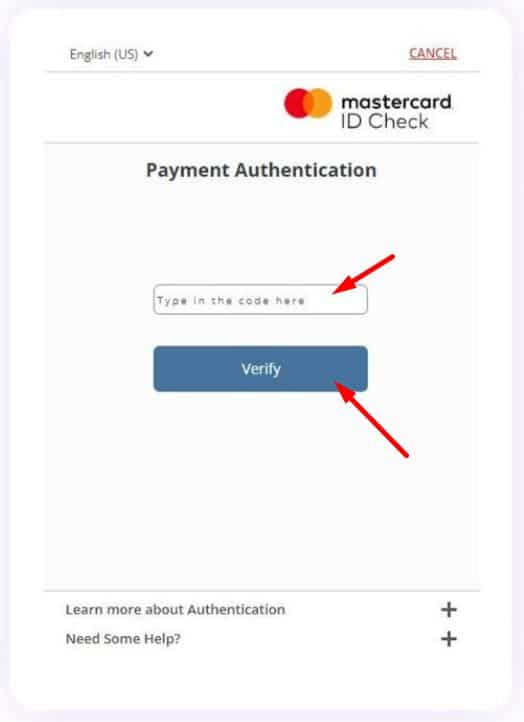
Your credit card company will might send you a verification code for this transaction to the phone number associated with the credit card you used. Enter the code you received.
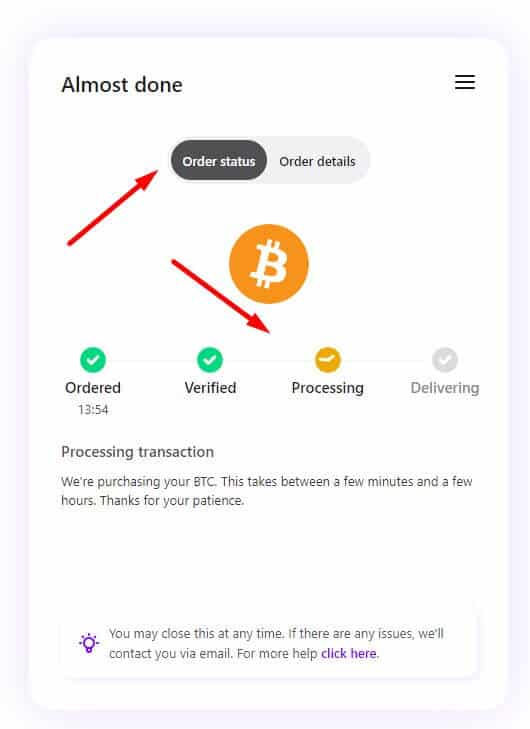
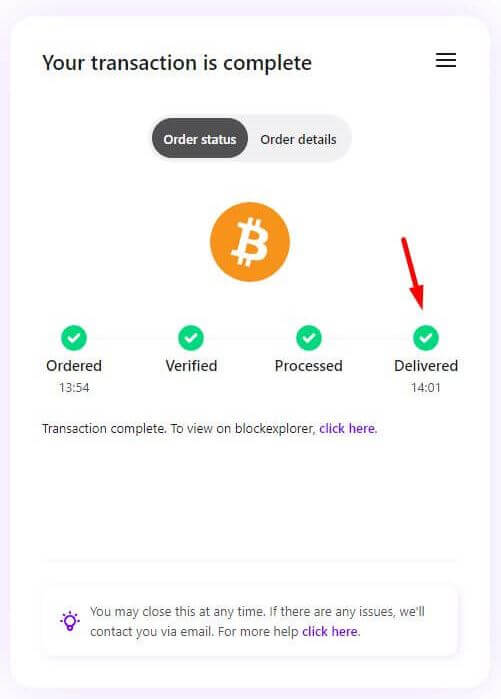
After approval, your transaction is processing. It can take from a few minutes to a few hours (Usually it takes a few minutes to get the Bitcoin). When all circles are green, you will receive a confirmation email summarizing your transaction.
On your credit card bill this transaction will be shown from MoonPay.
11
12
That's all, simple and quick. The Bitcoin will be sent to the wallet address you specified.
The service mentioned above provided by external websites and user who makes use of this information does so based on his/her discretion and responsibility.
Third Option buy.chainbits.com
Purchase Bitcoin using credit card at buy.chainbits.com
Another easy and fast way to purchase Bitcoin and to sent it directly to your wallet address at 7XL poker app, is using buy.chainbits.com.
The advantage is that the transfer is made immediately and does not require you to open any trading accounts in any crypto trading exchanges. The disadvantage is the process fee is bit high.
Step One
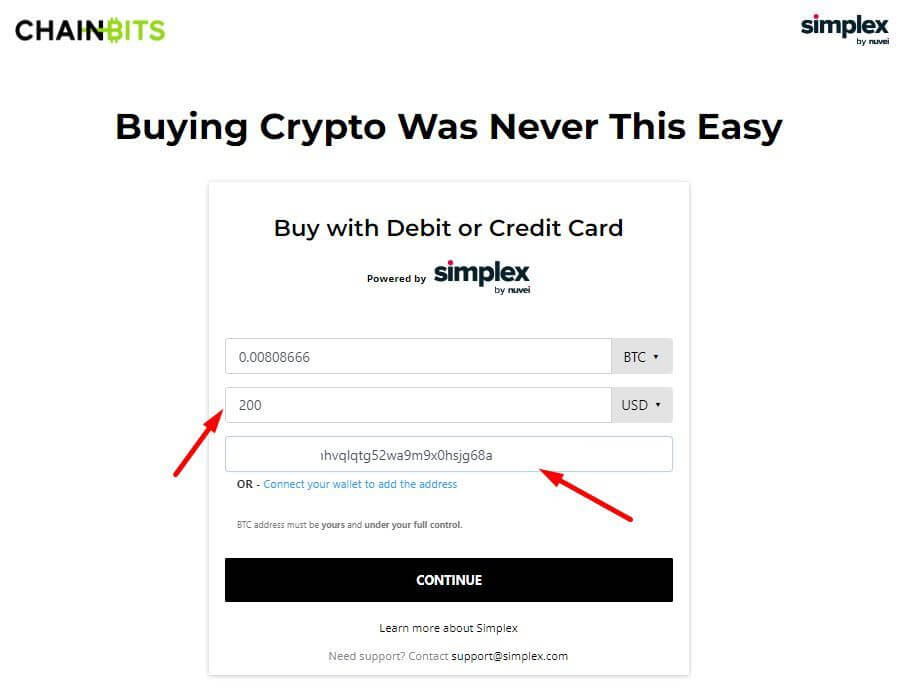
Go to the website buy.chainbits.com, choose the amount in shekels you want to use to purchase Bitcoin or USDT, and enter the wallet address where you want the funds to be sent. This can be your personal wallet or your wallet address on the poker site.
Step 2
Select your preferred payment method: Credit Card (Recommended) or Bank Transfer. Once finished, click Continue.
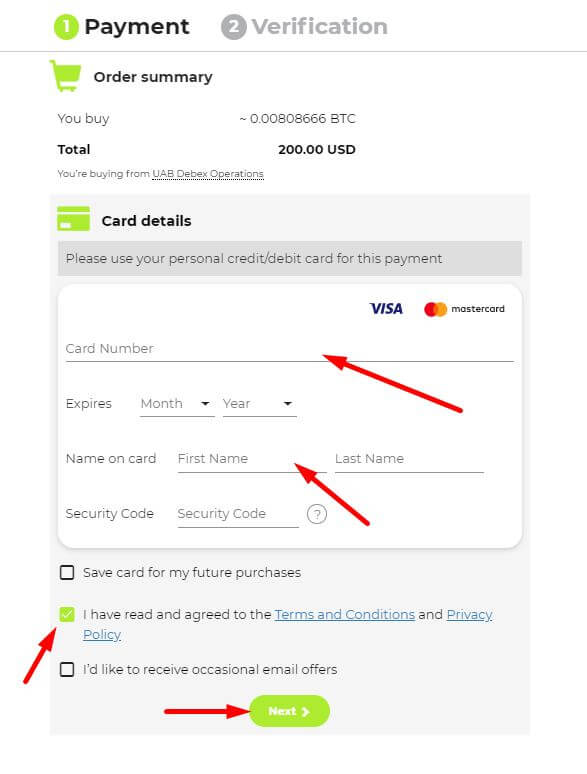
On the following screen, enter your full credit card details. When finished, click Next.
Please provide the additional details required to verify your ownership of the card. The payment system is highly secure and utilizes advanced encryption; please ensure all information is accurate, as incorrect details will result in the transaction being declined. Once finished, click Pay Now.
Please review and confirm your action by clicking "I Agree".
Step 3: Final Step
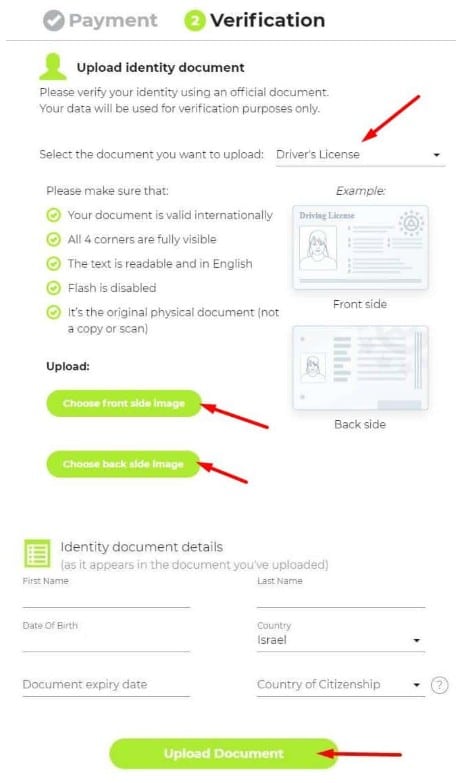
Identity Verification (One-time action): Please upload a photo of your ID from both sides (Driver’s License is recommended). Ensure that the details you enter precisely match the ID provided. Once finished, click Upload Document.
Once submitted, the system will process your information (this may take a few seconds). If all details are verified, your transaction will be approved, and the Bitcoin will be sent to your specified wallet address.